My life is to make everything around me beautiful.

Sunday, September 12, 2010

Tutorial on Tabbed Browsing

I was chatting in my eBay group recently about efficiency in blogging and other topics regarding computers when a member of our group asked me about tabbed browsing. I told her I'd do a blog on it so others can learn if they so desire. Understand that I've blocked out some things on here for privacy issues. I'm very security conscious and although I have Lifelock, I still do NOT take chances with my privacy. BTW, that is a wonderful feature to have because it's been tested by us—inadvertently—and works wonderfully. I highly recommend it and they're not paying me a cent for saying that.

Anyway, tabbed browsing for those of you who don't know is simple, SIMPLE, simple. You can use 2 browsers if you want also, but tabbed is easier in my book since I'm going from Photobucket to Blogger all the time uploading photos and writing the blog itself. It just saves me time. Also, I had to make these pictures 1000 px wide so you could see them. So it might distort my blog when I post this. But you really need them this large or even larger to see what I'm talking about.

Tabbed browsing allows you to have several windows on your browser at one time. Clicking from one to the other with your mouse is much easier than bringing up each window at different times or using 2 browsers. On a Mac you just use Command + T or in other words, hold the Command key while hitting the "T" key on the keyboard. That opens up a tab for any site you want. You can have as many tabs as you want open at any one time. On a regular PC/Windows machine you would hold the Control key and hit the "T" on the keyboard also.

And, if you are on a Mac and using Safari, this is what you'll see when tab browsing so it's much easier than even Firefox, which is my browser of choice most of the time. Again, I obliterated privacy things with red lines for security. Just go from one site to the other with a click of the icon on the left side of the browser just to the left of the red line I made. It looks like a grid pattern.

Another thing I'll address is Favorites or Bookmarks. I have a lot of Bookmarks or Favorites and this is just one of my files/folders for bookmarks/favorites. I have one for Bill Paying entitled BillPay for gas, electric, gasoline bills, water and trash, phone, cell phones, etc. Funny that, huh? ;-) You can have a file/folder for your favorite news sites, bloggers, groups, ebay favorites, etc. Much, much easier, chicks. BUT you can also click the little plus sigh (+) next to a tab as you can see in the screenshot below and it will create another tab also. So you have a couple of ways to do it on a Mac. Not sure about Windows PCs.

Now, this is one of hubby's PC/Windows machines. He has two but he uses his Mac 99.9% of the time because we just love the ease and graphics and trouble-free Macs. So this is how you start making a Favorite or whatever file/folder. Open up your Bookmarks and set up a new folder with whatever name you want it to be. I used Favorites here. You can add sites ad infinitum here. However many you want. But you must set up a Folder first.

I then added it to the Toolbar on Firefox as you can see here. (BTW, I took these photographs with my camera. I had both computers here to work on them to show you how to do this.
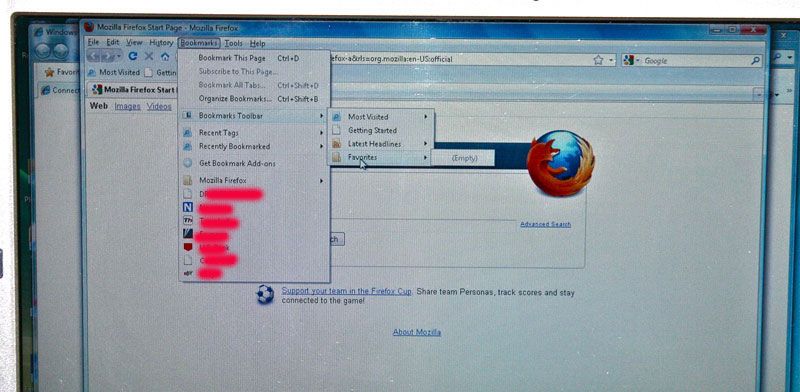

As you can now see, the Favorites is on his Toolbar for easy access. (See it below just below the Navigation Toolbar, which is the place you type in your URL.) In these days of spending much time on our computers I want the easiest way to navigate the web. I use the keyboard for most of my things. If I can keep my hands on the keyboard and off the mouse, I'll do that most of the time. You just have to memorize the commands for each thing you do. This will become second nature to you after a while.

So now it's there for you to add your favorite sites if you want to. I added mine to hubby's PC as you can see from the drop down menu. Click Done and that's it.

So when he wants to go to my site or any others he might put under his Favorites, it's right on his Toolbar for easy access. I see people all the time going through several steps just to get to a favorite and it doesn't need to be done like that. One quick click and it's done. Also, I apologize for these pictures. It isn't easy taking a regular camera photo of a screen. That's why it's so much nicer to do a screen shot, but I wasn't hooked up to the internet with his computer so couldn't transfer it over here. Hence, I had to do it the old-fashioned way. ;-) Taking a screenshot on a Mac takes about 2 seconds literally and is easy. Taking a screenshot on a Windows PC takes several steps and involves Paint program. If you are truly interested in knowing how, just let me know and I'll do a short tutorial on that.
~*~

Saturday, September 11, 2010

Opera for Pink Saturday 9/11/2010

First of all, I want to commemorate the men and women who were killed by cowardly terrorists on this day in 2001. My heart ached that day and I cried and cried for those soles who burned and leapt to their deaths and for their families who were left behind. I also want to thank every single one of those firefighters, EMTs, brave men and women who went down fighting in the planes and all who helped that day. I pray we never have to experience anything like that again. America is the absolutely greatest country on earth. A country set up by God to assure us of our freedom and the right to worship our God as we choose. Hooray for America. They haven't beaten us down. I love my country—the greatest one on earth! And as for me, I intend to go buy some donuts today and take them to our local firefighters as a thank-you for being brave and willing to protect our city and lives with their lives.

Second, I need to apologize if you've commented on here in the past week and don't see your comment. Our ISP—Cableone—has partnered with Google gmail and all the Cableone subscribers have had to set up our email programs differently on an IMAP account instead of a POP account and I'm just not wild about IMAP accounts. It has taken me the whole week plus 4 times on the phone with Cableone to get it set up on my Mac Mail. Now, that is not an indictment of Cableone—I love them and they have always been nothing but great and helpful—but it has been frustrating because I have 7 different email accounts and it was frustrating to have some work, then fix them and others wouldn't. I hope I've got all of them fixed now but let me tell you, it has been frustrating! I'm still answering some of the emails. Sigh...
*


Happy Pink Saturday.

Come and join Beverly and the other participants by clicking on her logo below.

~*~

I love opera and classical music. I listen to it frequently because it just seems to speak to my heart. I'm going to treat you to some of my favorite artists today. Just click on each flower to go to certain ones. I don't particularly like music on blogs because it slows the blog down so I've put it together this way so you won't experience sluggishness. Please, PLEASE listen to these beautiful, wonderful songs. I doubt you'll be disappointed.

Let's begin with Russell Watson


Let's hear another one of his most magnificent arias. I wish you could hear this on my iTunes. I found this one on the internet for you. It is beautiful and will certainly stir your heart.


Then Hayley Westenra


Now José Carreras and Sissel, who we'll listen to next all by herself


Sissel


And José Carreras


And last we'll listen to Juan Diego Florez, who, ladies, is very easy on the eyes!


I truly hope you've enjoyed these wonderful artists and have a greater appreciation for beautiful music. (And, yesssssss, I love rock 'n roll, too.)
~*~

Friday, September 10, 2010

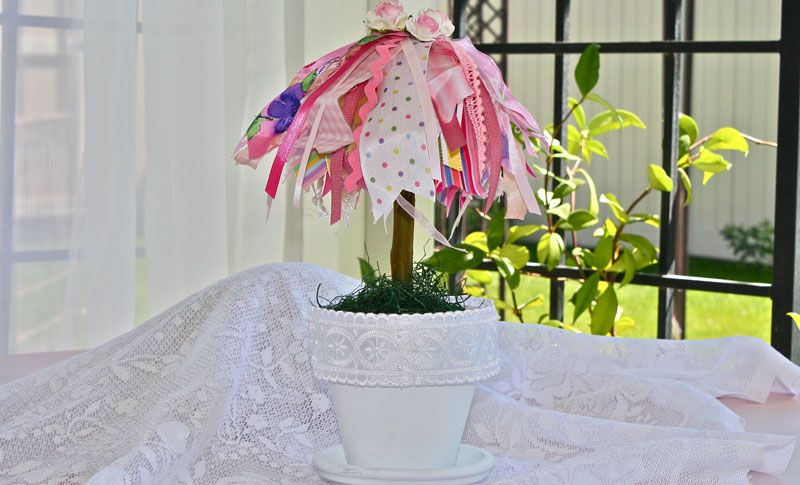
Saving Photos and a Ribbon Tree for Froufrou Friday #6

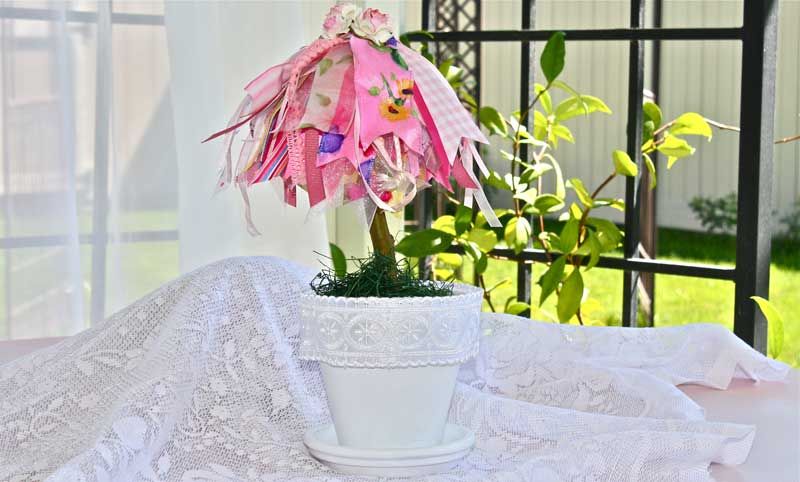
Isn't this adorable? Well, read on.

Recently a blogger was lamenting that her photos on Photobucket were deleted because she had reached her limit. I mentioned that she could upgrade to PB's paid account. I did several years ago because I believe
nobody does it better than Photobucket. She asked why should she pay for something that is free. The answer was pretty obvious to me: you have unlimited photos for a $25 a year upgrade and they don't get deleted. You also have no ads, which is very important to me. I'm extremely visual and ads vie for my attention, and I like to stay focused on the task at hand. So I pay for the service of not seeing my photos deleted when I've reached the "free limit" of photos and not being distracted by ads.

But the biggest reason is something that happened to me about 5 or 6 years ago.

I joined an image hosting site recommended to me by a man who was making a template for me. It was Image Link or something like that. (It's been so long I've forgotten their name and I see one on the internet now, but it doesn't sound like the one I used unless it's been bought.) I really liked that site and entrusted my photos and icons for the template to them.

But one day my photos and icons wouldn't upload to my template for eBay. I was so ignorant about those kinds of things then, but have since diligently educated myself in the workings of computers and websites and HTML, etc. I contacted the owner who was doing this as a sideline and just happened to spend most of his time playing baseball! We emailed several times and he found out that the money he was paying to his server was not being paid to the place it should have been going. In other words, they went belly-up overnight. That cost thousands of us to lose our photos and icons overnight and to not be able to retrieve them. (I had deleted them from my Mac—stupidly, of course—so they were gone forever). The server was somewhere in Australia and there was nothing to be done about it here in the U.S. So I lost some valuable things, valuable to me anyway.

I then found Photobucket. I've been with them ever since. They've been extremely helpful to me and very reliable. Of course, I now save them on an external HD and on CDs so I doubt I'll ever have that problem again. Friends and others have recommended other sites: Picasa, Picnik, Picturetrail, Free Image Hosting, Webshots and a few others but I'll stay with PB. I like them and I don't think anyone does it better than they do. And I certainly should know.

So what's it worth to you to never lose your photos? For me, the $25.00 a year is one heck of a deal. I have nearly 7,000 photos on PB. That's not much by some standards but it sure is enough that I'd hate to lose them!

And I don't get paid one penny for saying these things! That's how much I love them.
~*~

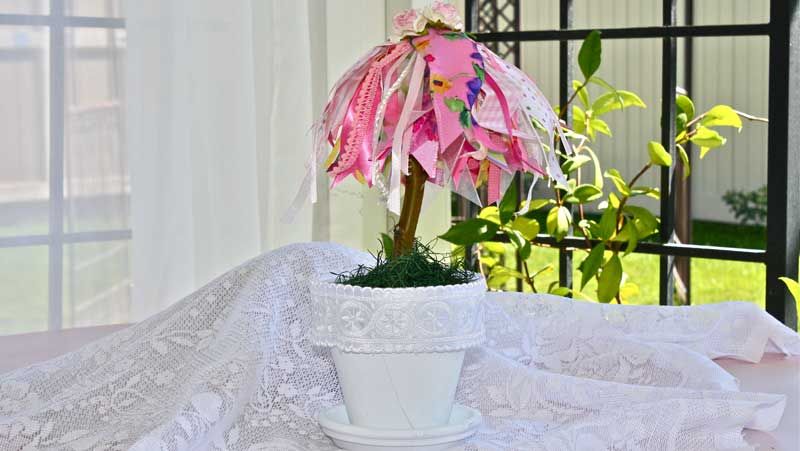
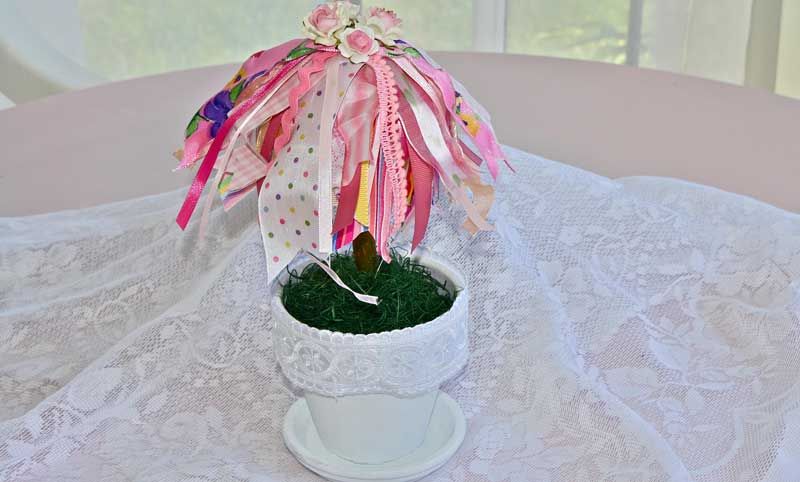
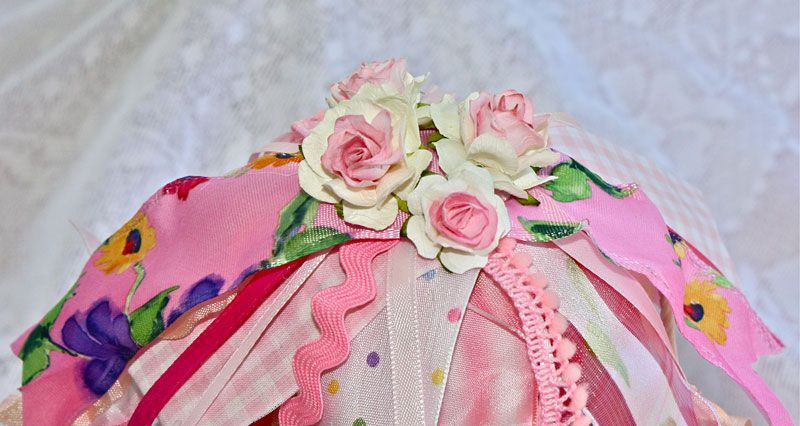
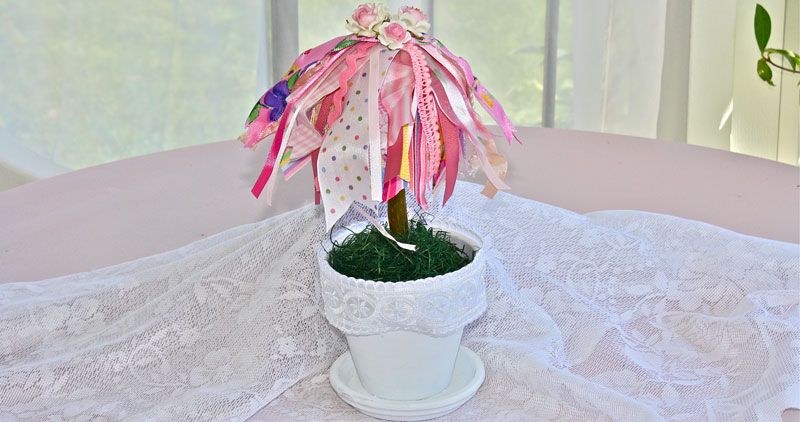
I just couldn't resist! I had to make another ribbon tree. This one is smaller as I had to cut a branch off our dead pear tree. I love it, and it's for sale here.


~*~

Join in!

Wednesday, September 8, 2010

Rescued!

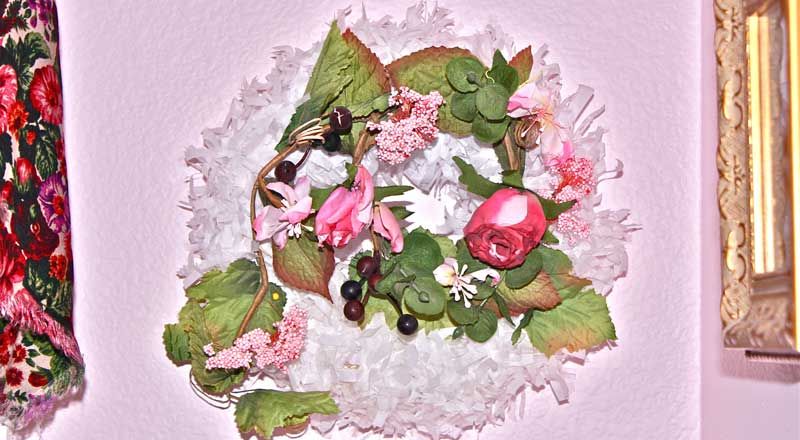
Remember the candle ring I rescued from Love Bunny's garage sale earlier this month? Well, here is what I did with it. Easy peasy! Cheap straw wreath I got at 1/2 off at Joanns, white tissue garland and the candle ring. I pinned everything on in seconds. Yep, I broke the cardinal rule of crafting—NO HOT GLUE. See what you can do!
~*~

Random Thoughts:


The other day I took my car through the car wash and just loved the new one that we used. It's new to our town and it really cleans the outside extremely well. But the best part was that I could go inside the wash and pick my nose without anyone seeing. I'll bet all of you reading this understand that! ;-)
*

I was reading an article on line recently about Guantanamo and found it very enlightening so I salute those military men who have to guard the terrorists. Did you know that the faces of the guards cannot be televised or photographed? Did you know that they cannot wear name badges for their own security also? Did you know that the terrorists can pray but we can't here at any public function? Just how mad does that make you? They can have prayer but your child in school cannot bless his/her food before eating it.
*

Ooooh, and get this one: The EPA is thinking of banning lead in bullets. Yep, they don't want a criminal to die of lead poisoning if the bullet doesn't do the trick. Sad but absolutely true.
*

Back in 1963 or 1964 hubs and I had our 2 children and we needed a car. Ours had broken down and was not fixable so we went to the local Dodge dealer after seeing an ad for a new Valiant. It cost $2,000 for that brand new Valiant, but we couldn't qualify because we were in the military and were so lowly paid. I hope our troops today are better off. I would gladly give a tiny bit more tax if they men who guard and defend this wonderful country would be exempt from paying any income tax at all—federal or state. God bless those fighting men!
*

I should love to have this said about me when I depart this earth:
She'd been so beautiful for so long that nobody really listened to her. They were overwhelmed by the visuals.
*

Some people just love shoveling manure over the seeds of truth.
*

Human beings are a precious resource.
*

Do not be fearful of life's decisions.
~*~

Monday, September 6, 2010

Editing Your Photos

Surfing the blogs the past couple of months I've seen some photos that are incredibly wonderful and then some that could use some assistance. I'm happy to give you a few pointers as some women have asked me to do. Ooh, not much, just a few tips, so let's talk about editing them first. I'm on a Mac with iPhoto but the editing tools are all the same: exposure, contrast, saturation, definition, highlights, shadows, sharpness, adjusting red-eye, de-noise, temperature, tint and maybe a few others in different programs.

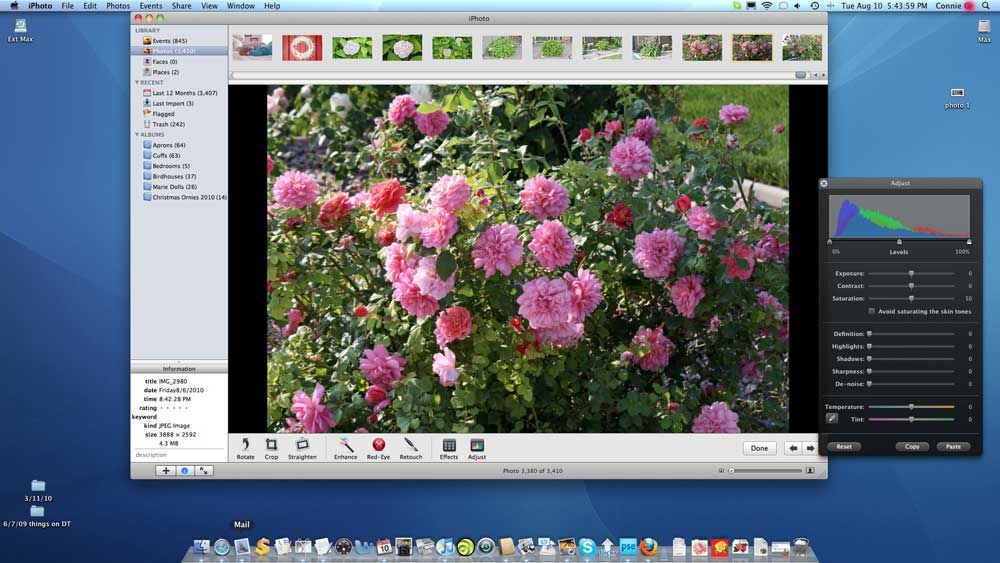
This first photo was just as it was coming off the camera. As you can see in the adjust box on the right, it is at the starting levels before I do anything. Rose bush leaves are a bit dark.

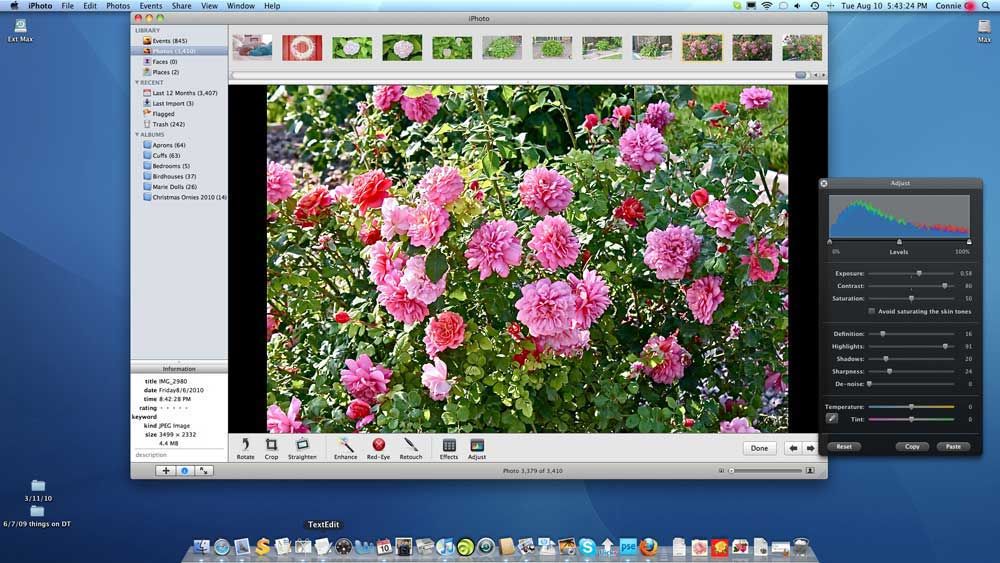
This is the photo after I edited it for clarity. Taking a look at the Adjust window on the right shows you what I did to bring it into a more beautiful photo. Very first thing I did was lighten the shadows. Then I gave it a little definition and sharpness, but I gave it a WHOLE lot of highlight to bring out the petals and leaves more. (This also works wonders on lace to add a lot of highlight to it and when taking a picture that involves a window in the background. Try it on your photo editor next time and see what a difference it makes. Photobucket, Picasa and Photoshop all have these settings.) Then I go for the exposure and contrast. That's the way I like my photos to appear. I use natural light outside but most of the time I'll have my flash on. Even inside I have my flash on with the house lighting on also. It's very difficult to get good pictures in this north facing dark house so I need all the help I can get. I almost always use my flash. Understand also that a good camera is essential for good pics. I think the biggest problem I've seen is the photos are usually so dark or a lot of yellow and orange cast (from incandescent lighting) in them because they're using the flash with a setting that shouldn't be used with a flash. Try using your flash with the Auto setting on your camera. See how that works. That's pretty much the setting I use the most. I have a Canon Rebel XSi. There are better cameras and cheaper cameras but this one does an excellent job for what I want. I've also made these screenshots a bit bigger than normal for my blog so you can see them more clearly. I'll post this whole blog post to my tutorial on my tutorial for blogging and photography.

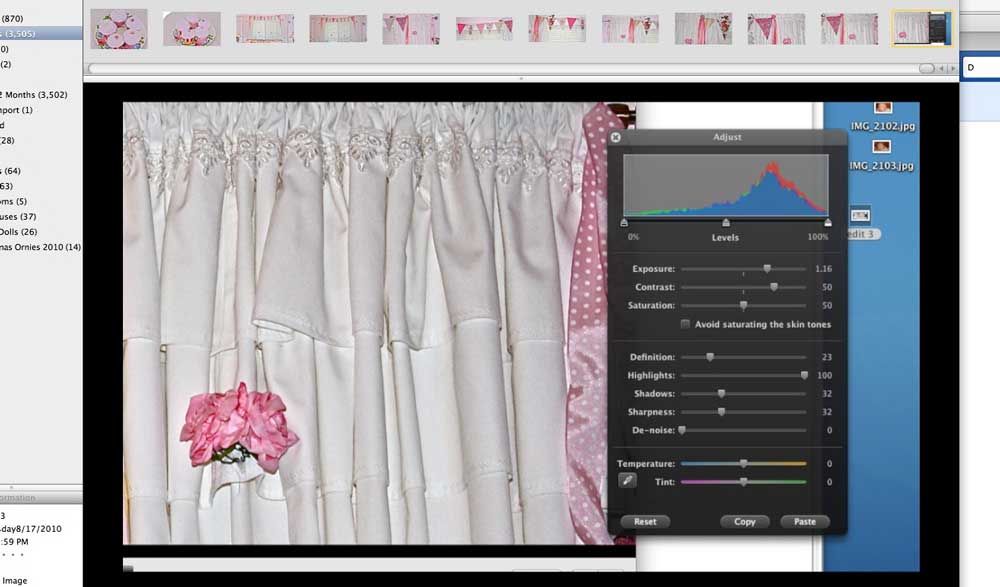
This is a screenshot of the photo editor up closely so you can see how much editing I did. The tabs on there are all to the extreme left when I started. By sliding them to the right, as I did, you can see how much I edited each one. I didn't touch the Temperature or Tint on these photos. You can absolutely do this in any program I mentioned above. Viewers want to see the photographs. As I said above, the Highlights tab I use almost excessively. I edit in this order: Shadows, Highlights, Definition, Sharpness, Exposure and Contrast. After Contrast, I sometimes go back and work on the Exposure again. This is what lightens the photo the most—dark to light. I very rarely touch the De-noise or Saturation. You can play around with these if you want to see the effect it has on the photo but I doubt you'll use it much, if at all. The saturation feature is kind of neat when you want to play with the color a lot to get various different looks. Just play around with it and see what happens. Sometimes it's a great deal of fun.

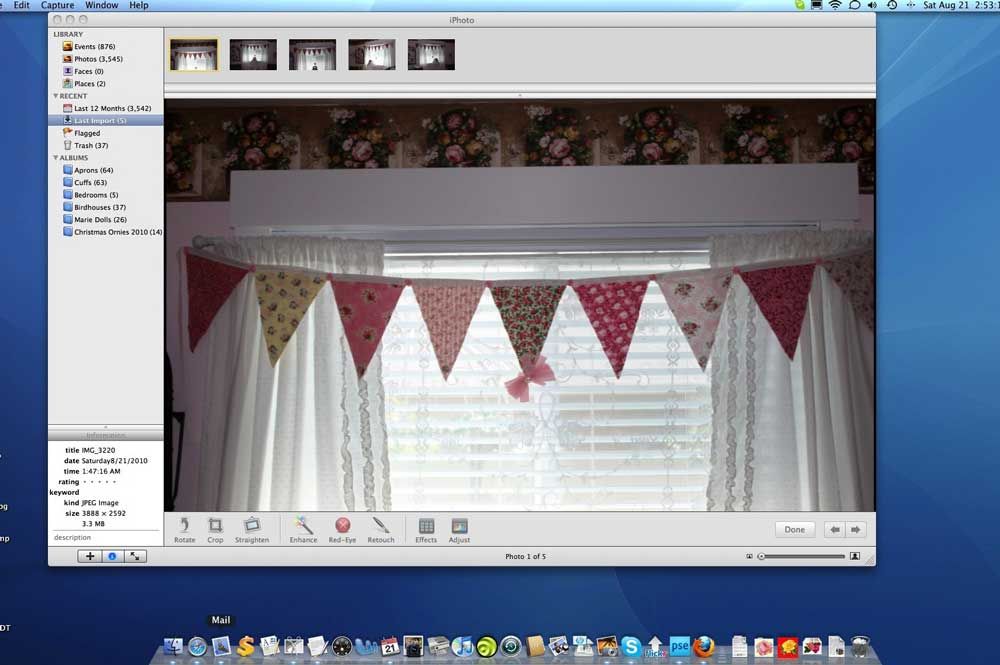
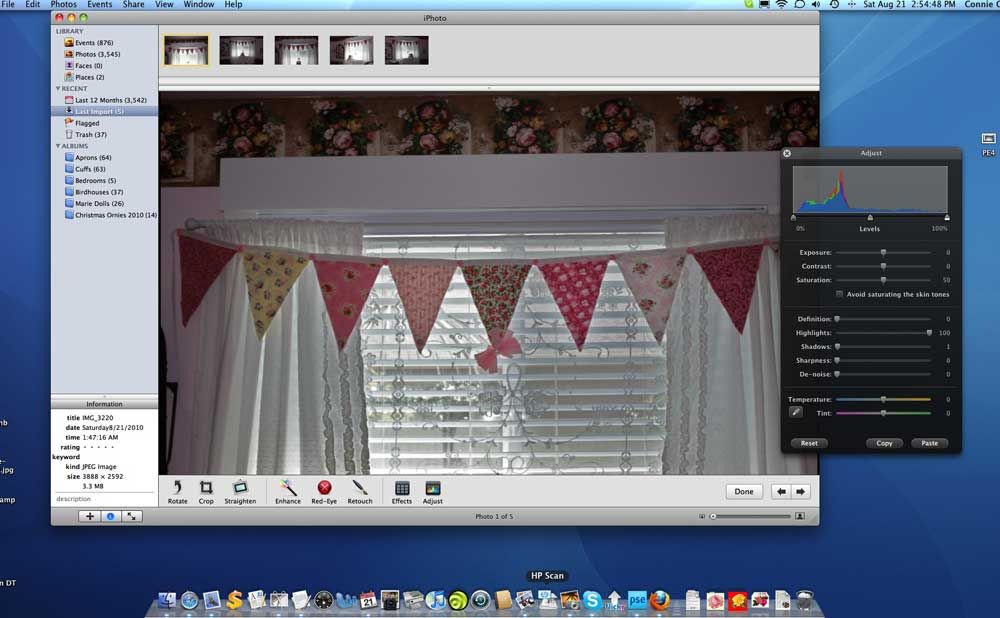
Now, this is a photo taken in the family room just as it came off the camera. See how dark it is.

If you look at the photo editor, you can see where I've ONLY applied the highlights feature. See how it brings out the lace better? I've done nothing else to it at this point.

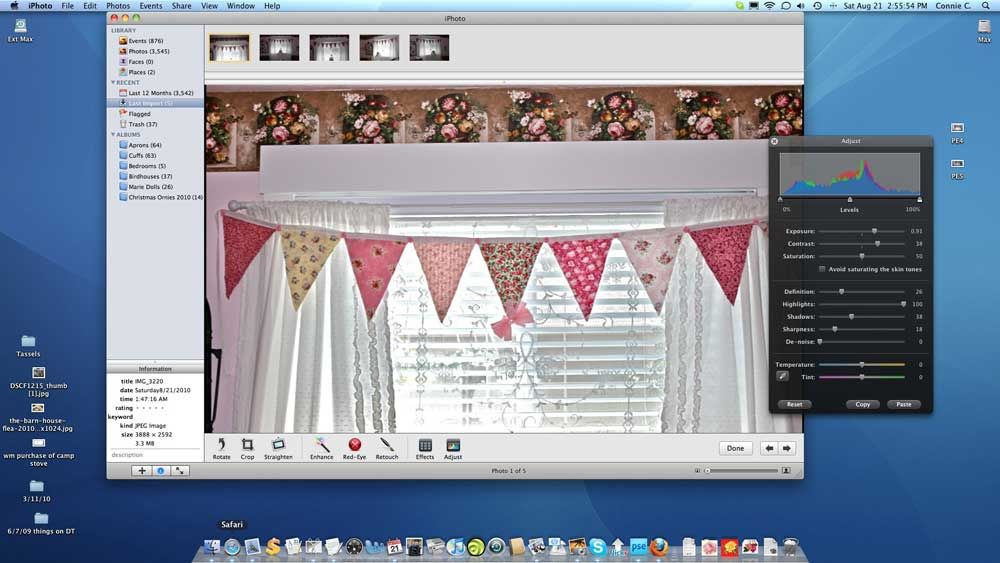
Now, here is where I got serious in the editing. Check out the editor on the right and see how much I lightened it, took out the shadows, adjusted the contrast, sharpness and the definition. See the difference from the first photo of the window with the banner on it and the bottom photo here?
~*~